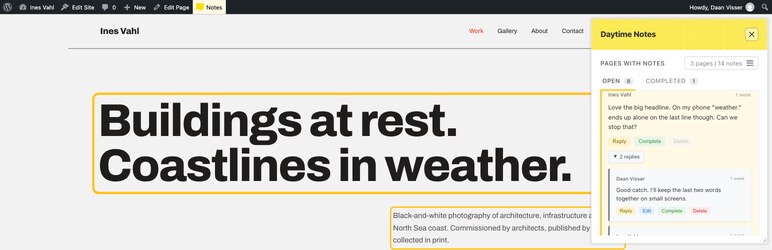

Description
Daytime Notes lets authorised users attach notes to specific elements on any page or post. Notes are context-aware, threaded, and support @mentions, task status, and optional email notifications.
This plugin is designed for internal collaboration: content review, QA, design feedback, and coordinating changes without long email threads.
Daytime Notes was created to address a common communication gap when working with clients and teams — particularly when feedback arrives as vague or fragmented requests that are hard to interpret out of context. Having previously used similar element-based annotation systems, the goal was to bring that clarity into WordPress as a standalone, builder-agnostic tool. By attaching feedback directly to the page elements being discussed, Daytime Notes helps reduce confusion, save time, and keep discussions grounded in the actual content being worked on. It’s shared publicly to support other developers, designers, and teams facing the same challenges.
Core Features
- Element-Specific Notes – Attach notes to any HTML element with visual highlighting
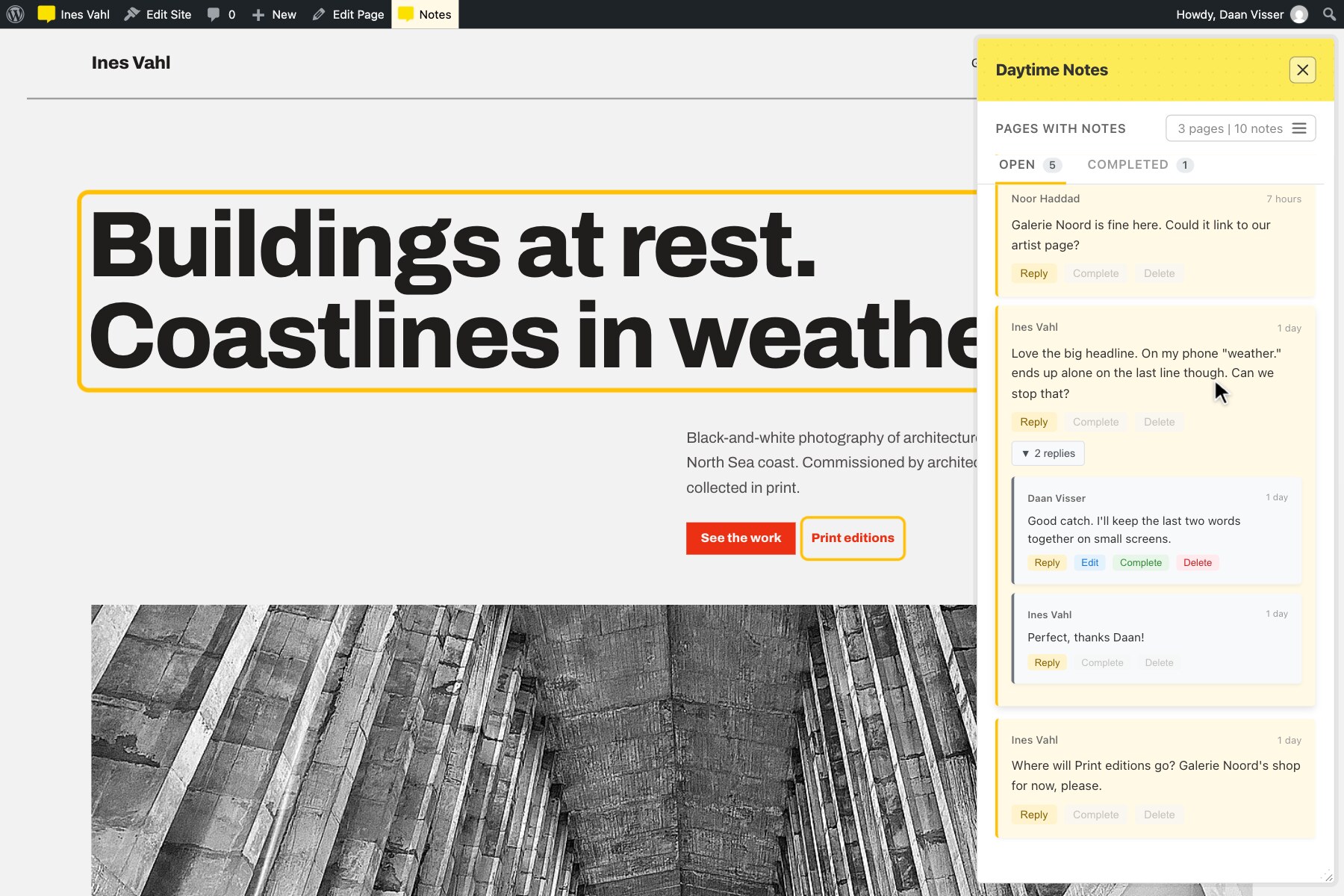
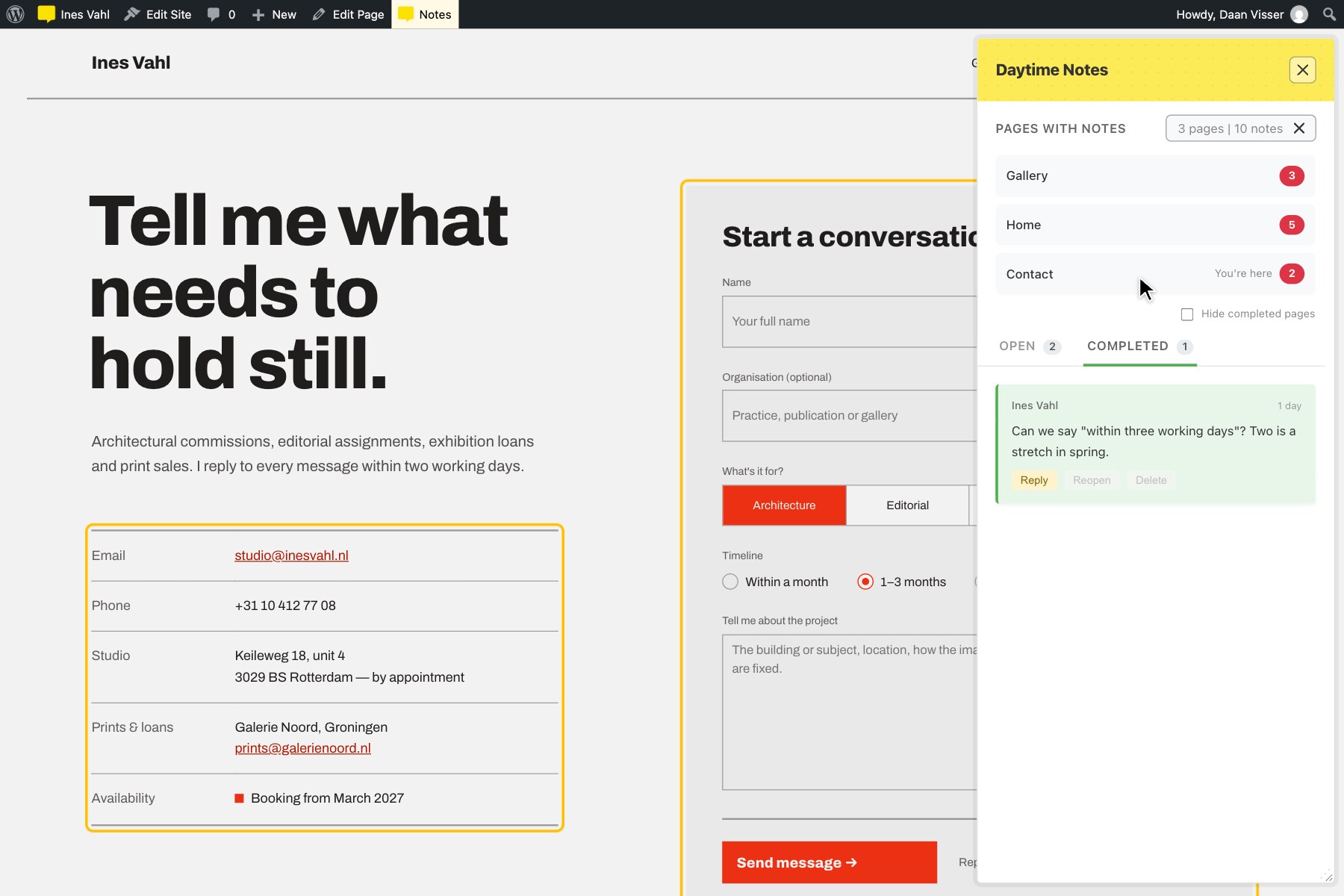
- Two-Way Highlighting – Hover a note to see its element on the page, or hover an element to find its note in the panel
- Open & Completed Tabs – Outstanding and finished notes on separate tabs, with live counts
- Pages Menu – A compact menu listing every page with notes and how many are still open
- Threaded Conversations – Reply to notes and keep discussions in context
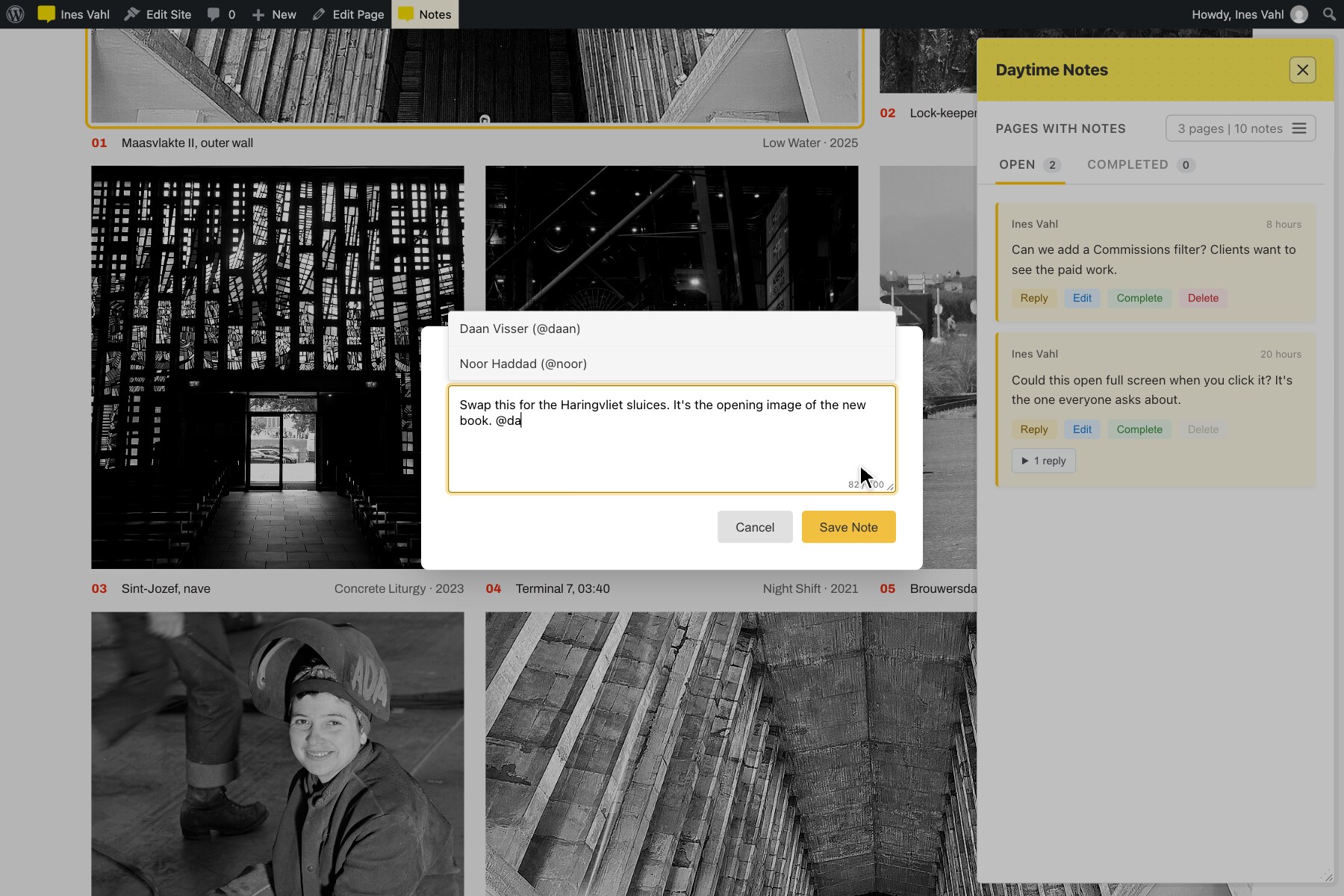
- @Mentions – Mention users with @username to assign responsibility
- Task Status – Mark notes as completed or reopen them to track progress
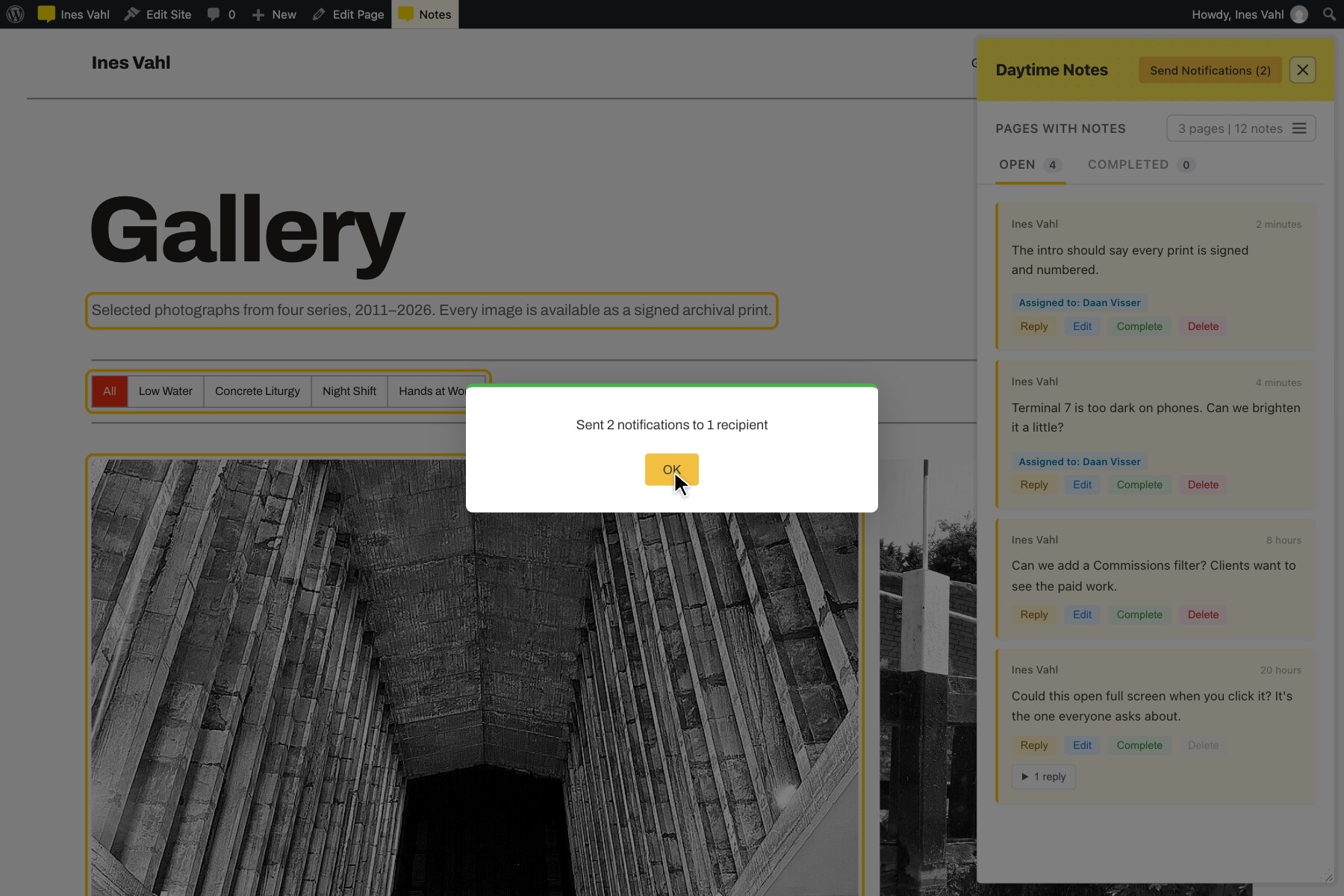
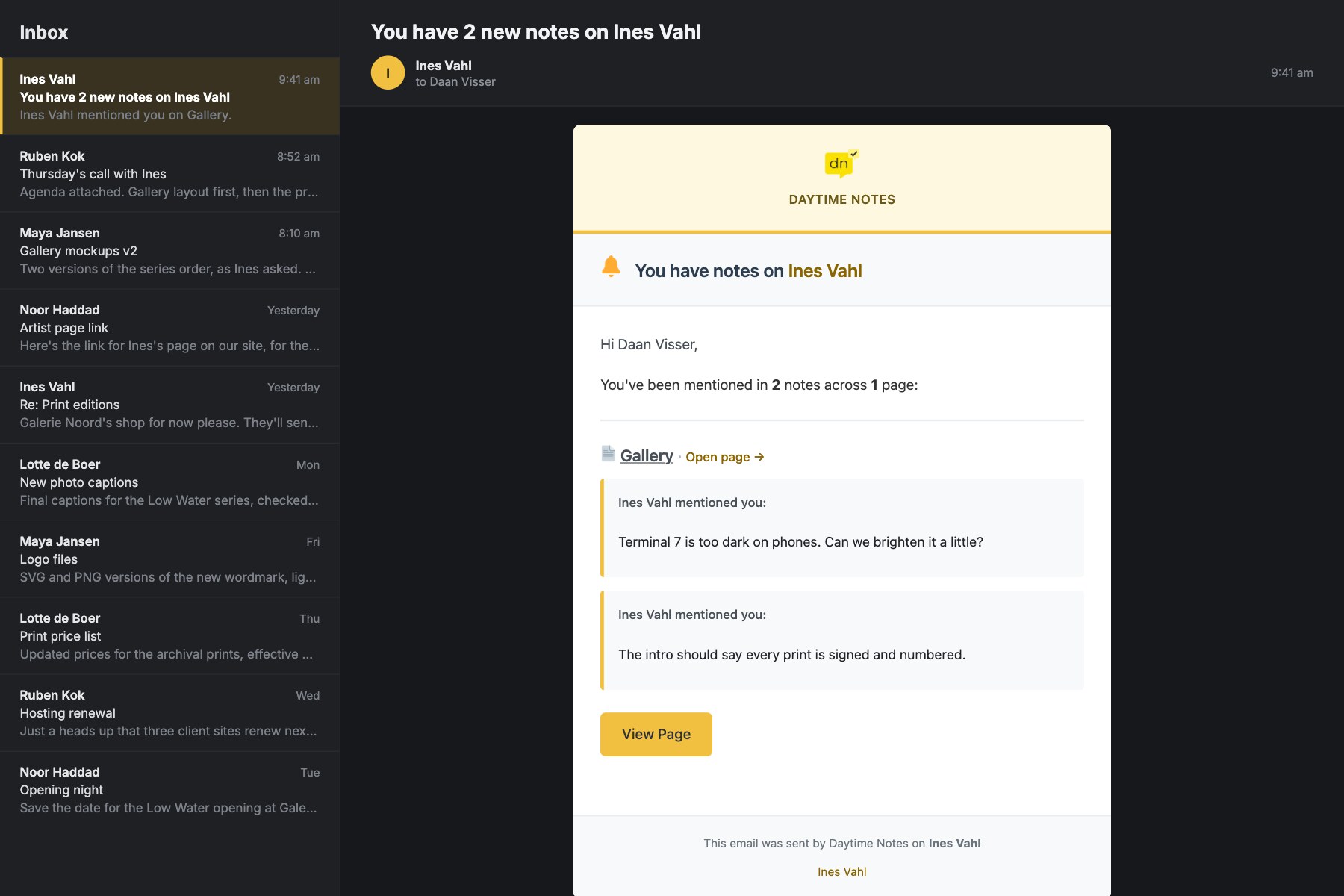
- Email Notifications – Manual “Send Notifications” button plus an automatic 4-hour catch-all; notifications are held until a recipient opts in, then delivered as one summary email
- Character Limits – Admin-configurable per-note character limit
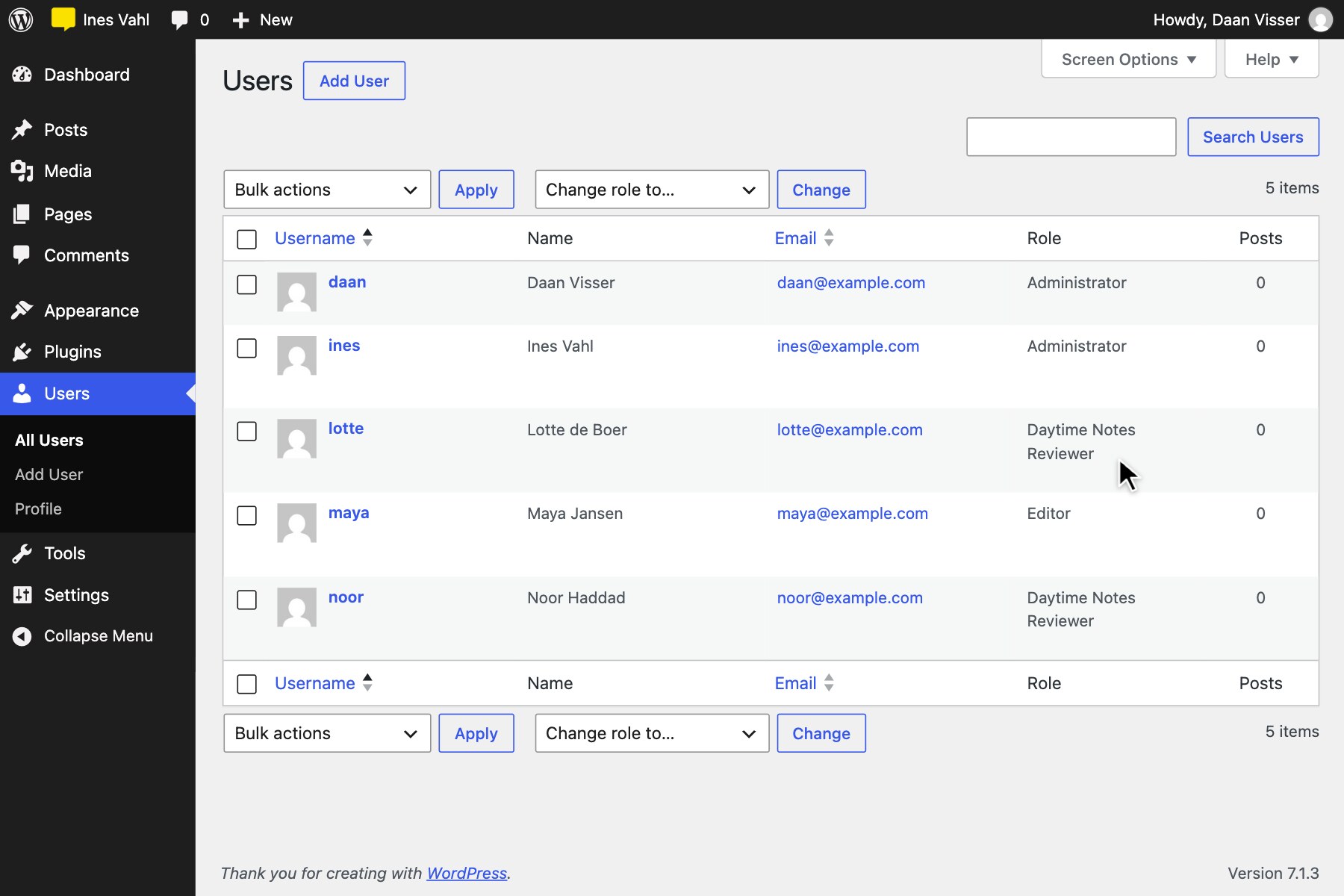
- Reviewer Role – A front-end-only “Daytime Notes Reviewer” role for clients, with no access to wp-admin
- Anyone-Can-Complete Toggle – Optionally let any user complete unassigned notes
Daytime Notes Pro
Everything above is free, with no limits on notes, pages or users. For individuals, teams or agencies that need more, Daytime Notes Pro adds:
- File Attachments – Attach screenshots and documents to notes
- Personal Notes – Private working notes that only you, anyone you mention and the Notes Manager can see
- Notes Manager – One person who can see every note and look after the settings
- Role Access – Choose which user roles can use Daytime Notes
- More Email Options – Instant emails, a choice of send intervals, completion emails, task reminders and a daily activity digest
- Export – Download all notes as CSV or JSON
Notes About Email Notifications (Opt-in)
Email notifications are conservative by default — nothing is sent instantly:
- New notes, replies, and completions are queued as they happen.
- Pending notifications can be sent immediately at any time using the Send Notifications button in the panel.
- Pending notifications are also sent automatically every 4 hours as a catch-all.
- Notifications are only ever sent to a user who has Daytime Notes enabled on their profile — if disabled, the notification stays queued and is delivered as a summary email as soon as they re-enable it.
All emails use WordPress wp_mail(). No third-party email service is used unless your site is configured to route mail externally.
Privacy & Data Handling
- No external API calls
- No tracking or analytics
- No telemetry
- No third-party services
- localStorage is used only for UI preferences
- All plugin data is stored within your WordPress database
The Privacy Policy section below lists exactly what is stored, and how to remove plugin data when needed.
Privacy Policy
Daytime Notes stores data in your WordPress database, including:
- Note content and selectors
- Page IDs/URLs for context
- User IDs (authors and assignments)
- Timestamps
- Plugin settings and user preferences
Daytime Notes does NOT:
- Send data to external servers
- Use tracking or analytics
- Make external API calls
- Share data with third parties
- Set tracking cookies
Emails (if enabled) are sent using WordPress wp_mail(), which respects any SMTP plugins or mail configuration on your site.
To support privacy requests and data deletion, administrators can:
- Delete notes (via the Daytime Notes panel on relevant pages)
- Remove plugin user meta/preferences as needed
- Enable full data removal on uninstall in Settings > Daytime Notes > Data Management
Support
For questions, problems or feature requests, please post in the Daytime Notes support forum.
When reporting a problem, it helps to include your WordPress version, your theme or page builder, and any errors shown in the browser console.
Screenshots
Installation
- Upload the
daytime-notesfolder to/wp-content/plugins/ - Activate the plugin through the ‘Plugins’ menu in WordPress
- Create a user with the “Daytime Notes Reviewer” role (or use existing Editor/Admin)
- Send them login details – they’re ready to leave notes!
That’s it! No configuration needed for basic use. Visit any page, click Daytime Notes in the admin bar, and start adding feedback.
Optional: Go to Settings > Daytime Notes to configure email notifications, the note character limit, and the “anyone can complete” toggle. These are all optional – the plugin works great without them for simple developer-client workflows.
FAQ
-
Do I need to configure settings to use the plugin?
-
No! Install, activate, and you’re ready to go. All settings are optional extras for larger teams. For a simple developer-client setup, just create a reviewer account and start leaving notes. The only “must do” is ensure users have the right role to access notes.
-
Do I need to use @mentions or email notifications?
-
No. These are optional features. Without @mentions, notes are general feedback anyone can see. Without email notifications, people just check notes manually when they log in. Perfect for small teams or solo developers working with clients.
-
Who can see the notes?
-
Only logged-in users with the
use_daytime_notesoredit_postscapability, and with Daytime Notes enabled on their profile, can see notes. Assign users the “Daytime Notes Reviewer” role for client access without giving them any editing permissions. -
Can I disable email notifications?
-
Yes. Email notifications can be turned off entirely in Settings > Daytime Notes. Notifications are also only ever delivered to a user who has Daytime Notes enabled on their own profile.
-
Why do notification emails sometimes take a while to send?
-
Daytime Notes hands emails off to WordPress’s built-in
wp_mail()and waits for that call to complete before confirming the send. The plugin doesn’t talk to any mail server directly — actual delivery speed depends entirely on your host’s mail setup (PHP’smail()function, sendmail/postfix, or whatever SMTP service your site uses). Variable delays, especially occasional 10-20+ second sends, are almost always caused by that transport doing a fresh DNS/MX lookup and SMTP handshake for each message, not by the plugin. If this happens consistently, installing an SMTP plugin (e.g. WP Mail SMTP, FluentSMTP) configured with a transactional email provider (SES, Mailgun, Postmark, etc.) typically resolves it, since those reuse a fast authenticated connection instead of connecting fresh each time. -
What happens to my data if I uninstall the plugin?
-
By default, notes and settings are preserved in the database. You can opt in to full data removal in Settings > Daytime Notes > Data Management. Full removal is permanent.
Important: When the plugin is uninstalled, users with the “Daytime Notes Reviewer” role are automatically reassigned to the Subscriber role. This prevents users from being assigned to a role that no longer exists. If you want to delete reviewer accounts entirely, do so manually before uninstalling.
-
Isn’t this the same as WordPress’s built-in Notes feature (added in 6.9)?
-
No. Core’s Notes are block-level comments for people editing inside Gutenberg — private to the editor, never shown on the live site. Daytime Notes is for feedback from people who aren’t editing at all: a client or reviewer looking at the finished, live page, with any page builder, no editor access required.
-
Does this plugin work with page builders?
-
Yes. Daytime Notes works with any theme or page builder output (Elementor, Bricks, Breakdance, Oxygen, Gutenberg, etc.) because notes attach to rendered HTML elements on the page.
-
What happens if the page element is removed or changed?
-
Notes remain visible in the notes panel even if the original element is no longer present. The stored selector remains available for reference.
-
Does Daytime Notes work on phones?
-
Not on phone-sized screens. Below 600px wide, the notes button and panel are hidden, because there isn’t room to select elements and read notes alongside the page. Tablets, laptops and desktops are fully supported. Notes left from a larger screen are still there, and notification emails can be read on any device.
-
Where did the “Hide completed” checkbox go?
-
Since 1.0.0, the notes on each page are split into Open and Completed tabs, which replace that checkbox. The “Hide completed” option for the list of pages is still there, inside the Pages with notes menu.
-
Is Daytime Notes checked for security issues before release?
-
Yes. Every build goes through two separate checks before release: the official WordPress Plugin Check tool, and a dedicated security review focused on logic-level issues including broken access control, privilege escalation, and insecure direct object references.
Reviews
There are no reviews for this plugin.
Contributors & Developers
“Daytime Notes” is open source software. The following people have contributed to this plugin.
Contributors
Translate “Daytime Notes” into your language.
Interested in development?
Browse the code, check out the SVN repository, or subscribe to the development log by RSS.
Changelog
1.0.1
- Security: Notes marked as personal (for example on a site that has switched editions) now stay visible only to their author and the person they mention
- Changed: Emails now use the Daytime Notes yellow instead of purple
- Changed: Emails link to each page they list, right at the page name, and open it with the notes panel showing
- Changed: Following a link to a page’s notes while logged out now goes to the login page first, then back to the notes
- Fixed: The notification email’s subject line used the plugin’s old name
- Changed: The Save Note button and the note text box’s typing highlight now match the plugin’s yellow instead of blue
- Changed: The notes panel remembers where you dragged it, and reopens in the same place after a refresh or on another page
- Changed: The notes button and panel are hidden on screens narrower than 600px (phones). The panel reopens as you left it if the window widens again
- Changed: A note the panel scrolls up to now sits a little below the Open/Completed tabs instead of touching them
- Changed: @mention suggestions now say “No matches” when nobody matches what’s been typed, instead of showing nothing
- Fixed: Deleting Daytime Notes while Daytime Notes Pro is active (or the other way round) no longer removes the Reviewer role or any shared notes
- Fixed: Closing the notes panel after arriving from a “Pages with notes” link now sticks. Refreshing the page no longer reopens it. The link’s ?notes=active parameter is removed from the address bar once the panel opens
1.0.0
- Added: Two-way highlighting between the notes panel and the page. Every open note’s element is outlined while the panel’s open; hover a note to highlight its element, or hover an element to highlight its note. Outlines never block clicks, so you can still note anything inside a noted section
- Added: The matching note gets a clear static highlight as well as the pulse, and pulses are switched off for visitors who prefer reduced motion
- Changed: “Pages with Notes” is now a compact menu showing a summary (e.g. “4 pages | 13 notes”) that opens to list every page with notes, with the current page marked “You’re here”
- Changed: The current page’s notes are split into Open and Completed tabs with live counts, replacing the “Hide completed” checkbox
- Changed: The pages button stays fixed at the top of the panel, with the Open/Completed tabs pinned just below it while notes scroll
- Changed: The panel reserves room for its scrollbar, so content no longer shifts sideways when one appears
- Changed: Calmer panel header — a subtle dot texture shows it can be dragged, a yellow Send Notifications button that pulses when a notification is added, and an outlined close button
- Added: Press Enter to pick the highlighted @mention suggestion; arrow keys choose another
- Security: @mentions are no longer available to Reviewer-role users, and the mention search no longer exposes other users’ usernames to them
- Fixed: Panel headings could pick up the theme’s heading font instead of the plugin’s own
- Fixed: Hovering a note no longer makes the page judder; it only scrolls when the note’s element is off screen
- Fixed: The close button is announced as “Close notes panel” to screen readers
0.9.1
- Fixed: The plugin version constant was left at a stale pre-launch value, showing the wrong version on the Settings page and affecting asset cache-busting
- Fixed: @mentions and “Assigned to” labels could show a user’s raw username instead of their configured WordPress display name
- Fixed: Notification email footer text could read as a duplicated site/plugin name
- Fixed: The notes panel’s resize handle could become unreachable behind the notes list’s own scrollbar; header layout also improved
0.9.0
- 0.9.0 marks the actual product launch — Free and Pro now ship from one shared codebase and version independently from here on. Earlier versions were this plugin’s pre-launch personal-project history, only ever installed on test sites
- Added: Free (daytime-notes.php) and Pro (daytime-notes-pro.php) editions, sharing core functionality with Pro-only features split into their own files
- Added: Custom “Daytime Notes Reviewer” accounts are redirected out of wp-admin to the front end, with no “Dashboard” link shown in the admin bar
- Added: Free’s settings page includes a permanent, non-dismissible line pointing to Daytime Notes Pro
- Added: Activating Pro over an active Free install automatically deactivates Free, safely migrates existing data, and shows a one-time confirmation notice
- Added: Changelog entries can be tagged Free/Pro-only — the in-admin Changelog tab shows only what’s relevant to the installed edition