
Description
Customer Wallet & Loyalty Points for WooCommerce gives your store a powerful customer wallet, loyalty points, rewards, and store credit system built directly into WooCommerce.
Reward customers for purchases and give them a reason to come back. Customers can earn loyalty points from paid orders, redeem points for discounts, top up their wallet through WooCommerce checkout, use wallet funds to pay for orders, and track their wallet and rewards activity from their account.
Unlock all features with PRO Version
Build Customer Loyalty That Drives Repeat Purchases
A customer makes a purchase. They earn points. Those points become a reward they can use on their next order.
This creates a simple loyalty cycle:
Buy Earn Points Get Rewarded Return Buy Again
Use loyalty points to encourage repeat purchases and give existing customers more reasons to choose your store again.
More Than a Loyalty Plugin
Customer Wallet & Loyalty Points for WooCommerce combines customer loyalty, wallet payments, and store credit in one WooCommerce plugin:
- Loyalty Points: Reward customers for purchases and let them redeem points for discounts.
- Customer Wallet: Give every customer a personal wallet they can fund and use for purchases.
- Store Credit: Credit customer wallets for promotions, bonuses, compensation, refunds, or other incentives.
- Signup Rewards: Reward new customers with points when they create an account and give them an extra reason to start shopping.
- Review Rewards: Encourage customers to leave product reviews by rewarding them with loyalty points.
Key Features
- Points & Rewards: Reward customers for completed WooCommerce purchases and let them redeem points for discounts on future orders.
- Customer Wallet: Give every customer a personal wallet they can fund, manage, and use to pay for WooCommerce orders.
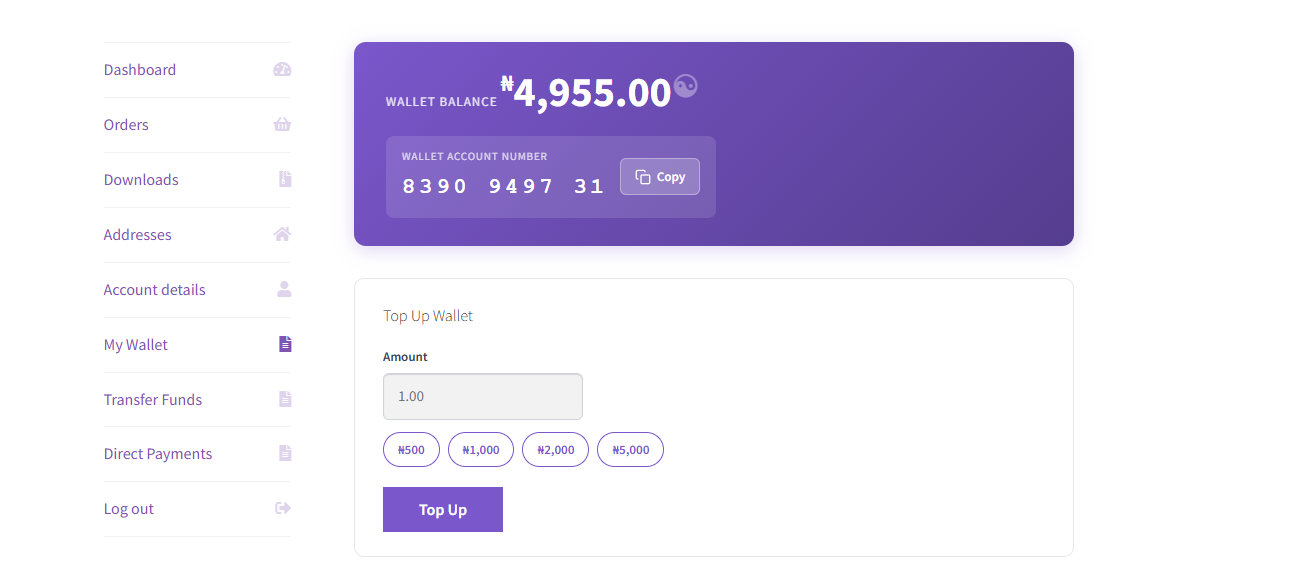
- Wallet Top-Ups: Let customers add funds to their wallet through the normal WooCommerce checkout.
- Store Credit: Credit one customer or multiple customers for promotions, bonuses, compensation, refunds, or other store credit campaigns.
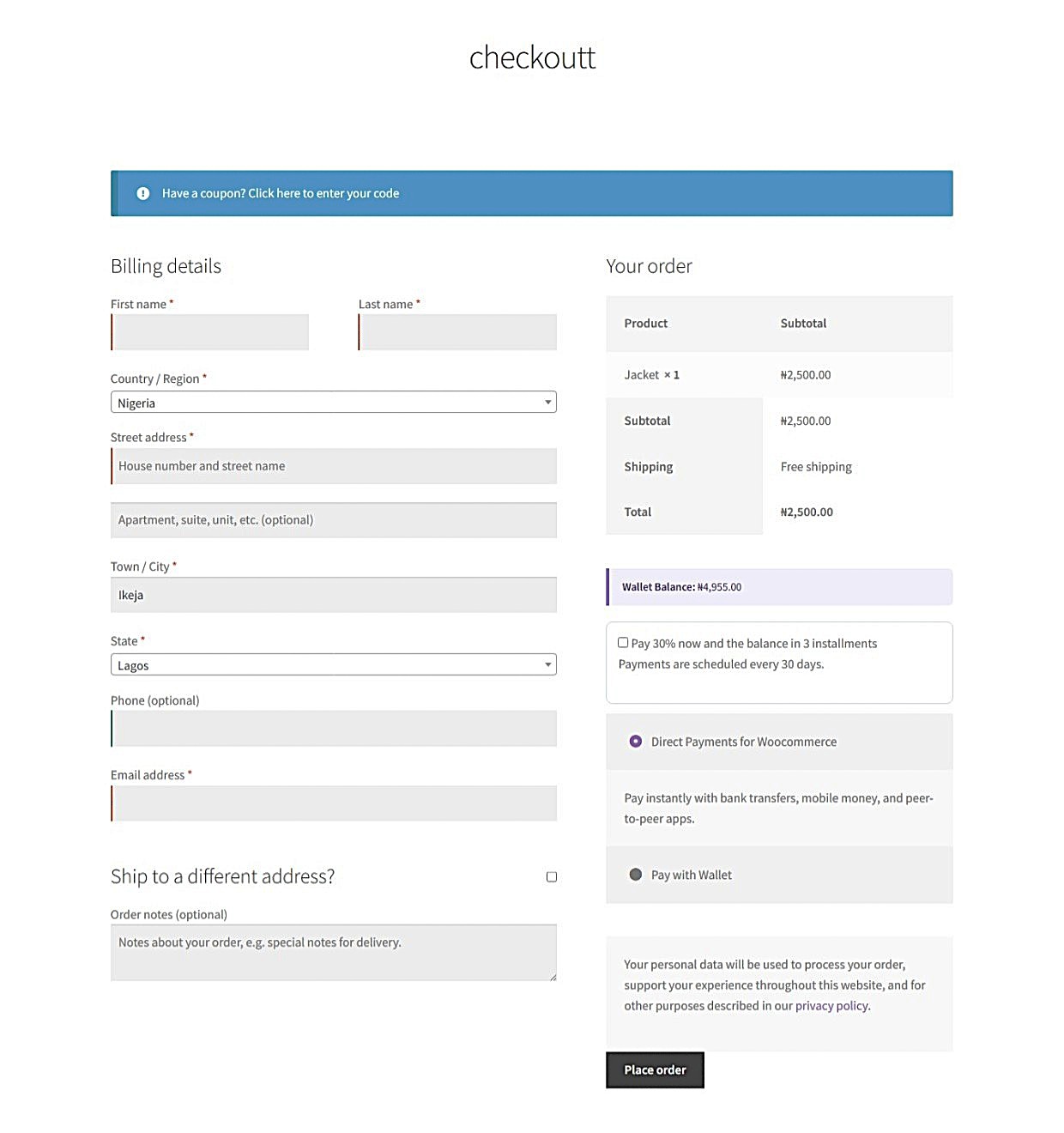
- Wallet Payments: Allow customers to pay for orders using their wallet balance, including partial payments with another WooCommerce payment gateway.
- Points Management: Configure points earning and redemption rates, limits, taxes, labels, and customer-facing messages.
- Signup & Review Rewards [PRO]: Reward customers with points for creating an account and leaving product reviews.
- Customer Wallet Dashboard: Give customers a dedicated Wallet page inside WooCommerce My Account to view their wallet balance, points, and transaction history.
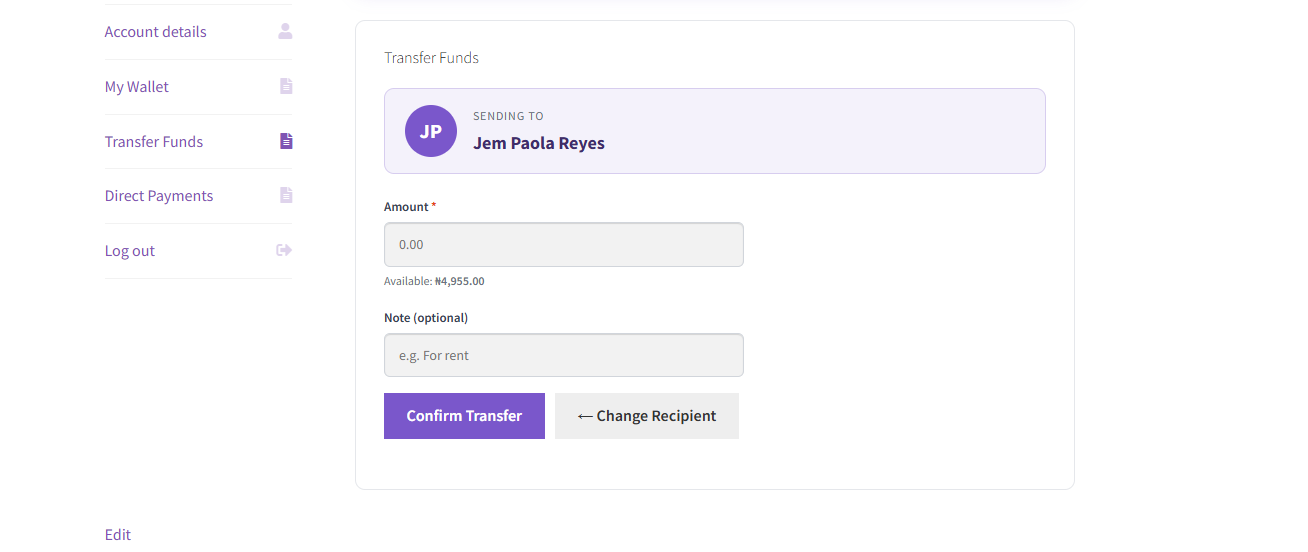
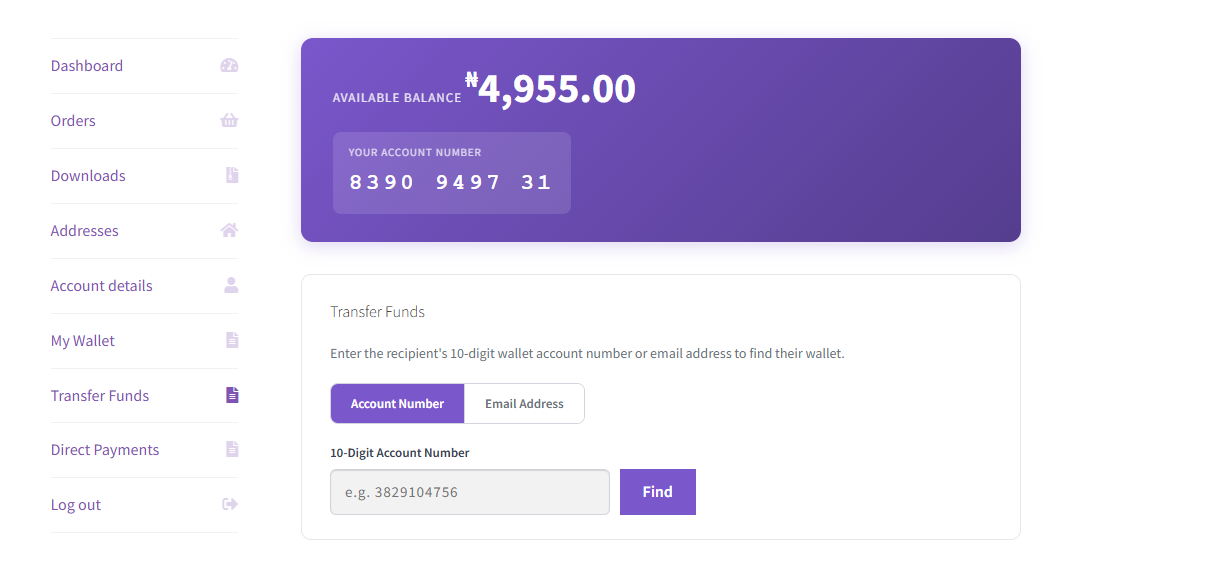
- User-to-User Transfers [PRO]: Let customers transfer wallet funds to other registered users using their wallet account number or email address.
- Points Expiry [PRO]: Set points to expire after a defined period and encourage customers to use their rewards.
- Wallet Account Numbers: Automatically assign every customer a unique wallet account number for easy wallet identification and transfers.
- Full Wallet Control: Manage customer balances, wallet credits, transactions, points, earning and redemption settings, and other wallet activity directly from WordPress admin.
- Native WooCommerce Integration: Built natively for WooCommerce and works directly with your existing customers, orders, checkout, My Account, currencies, and payment gateways.
📄 Quick Guides
- Digages Customer Wallet Plugin: Complete Setup Guide
- How to Create a Loyalty Points Program in WooCommerce
- How to Add a Customer Wallet to WooCommerce
- How to Reward Customers for Purchases, Signups & Reviews in WooCommerce
- How to Give Store Credit in WooCommerce
Read more in our documentation
What’s Next?
If you like this plugin, then consider checking out our other plugins:
-
Direct Invoices – Invoicing & Payment Requests for WordPress
-
Engraver for WooCommerce – Personalize and Customize WooCommerce Products
Credits
Built by Digages.
Screenshots
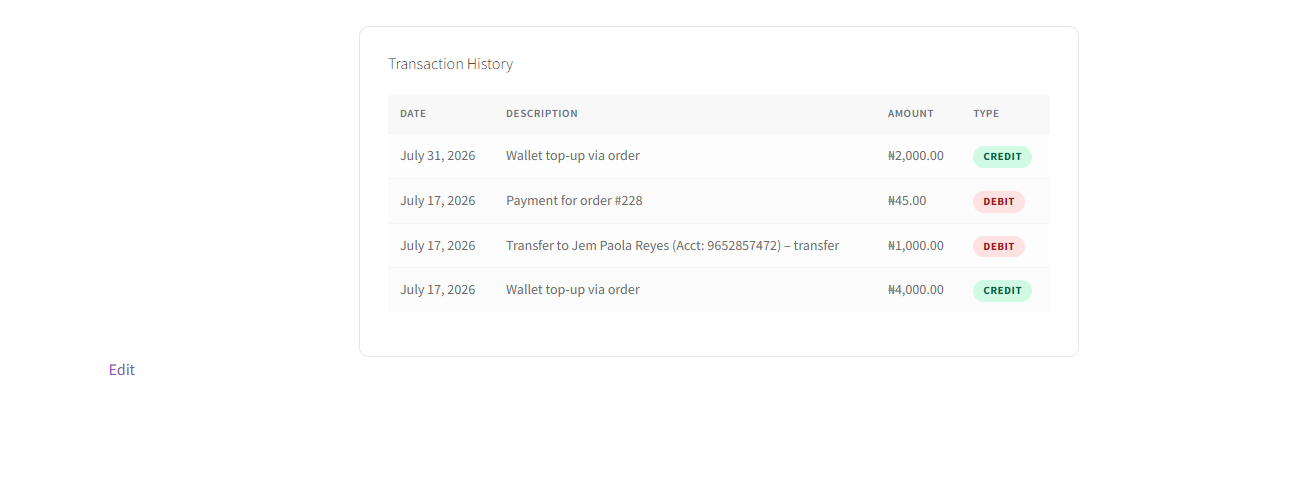
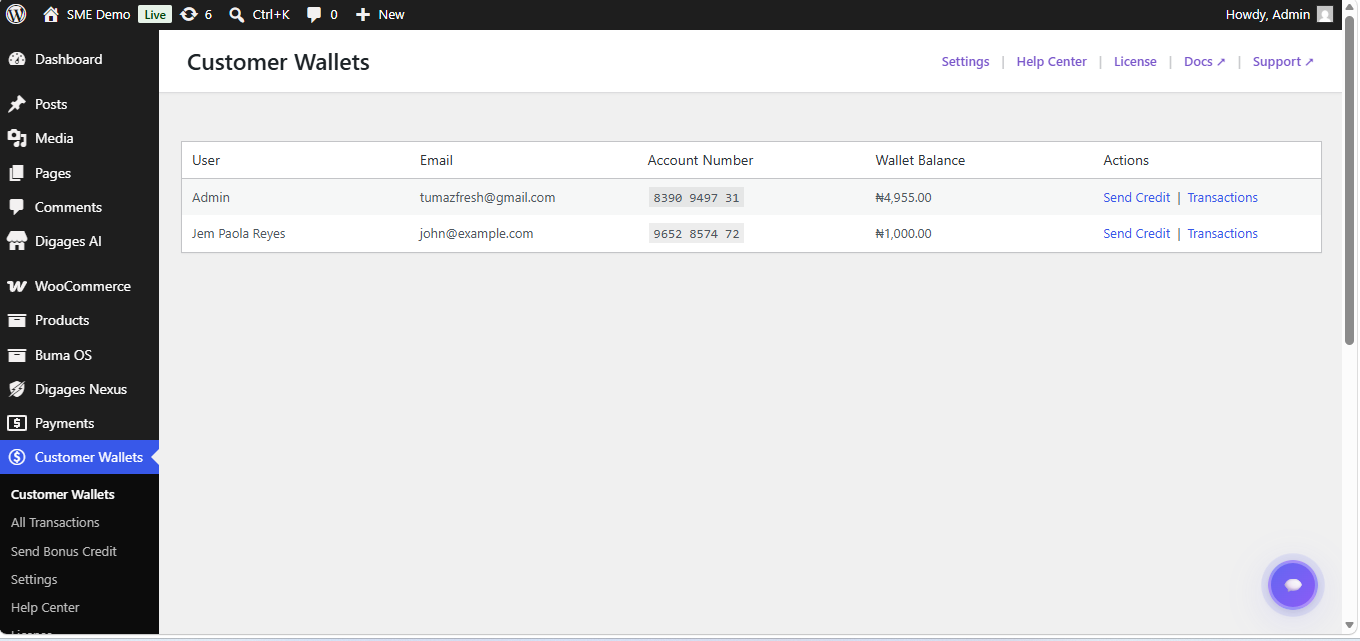
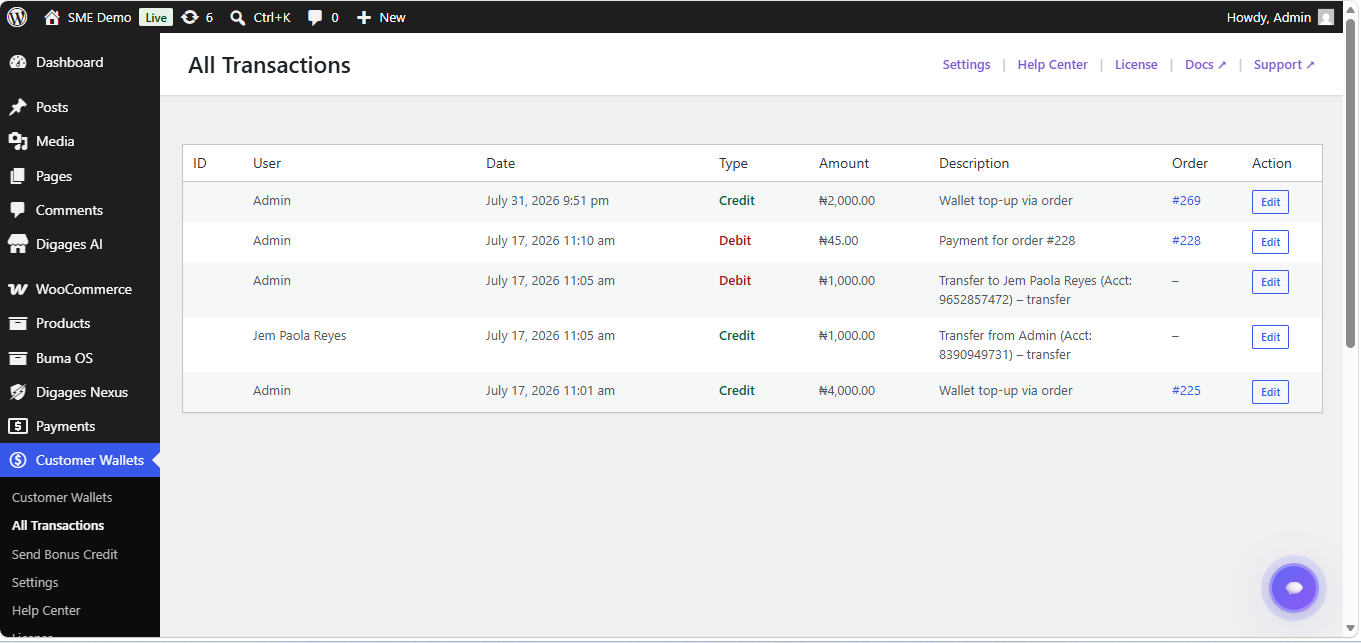
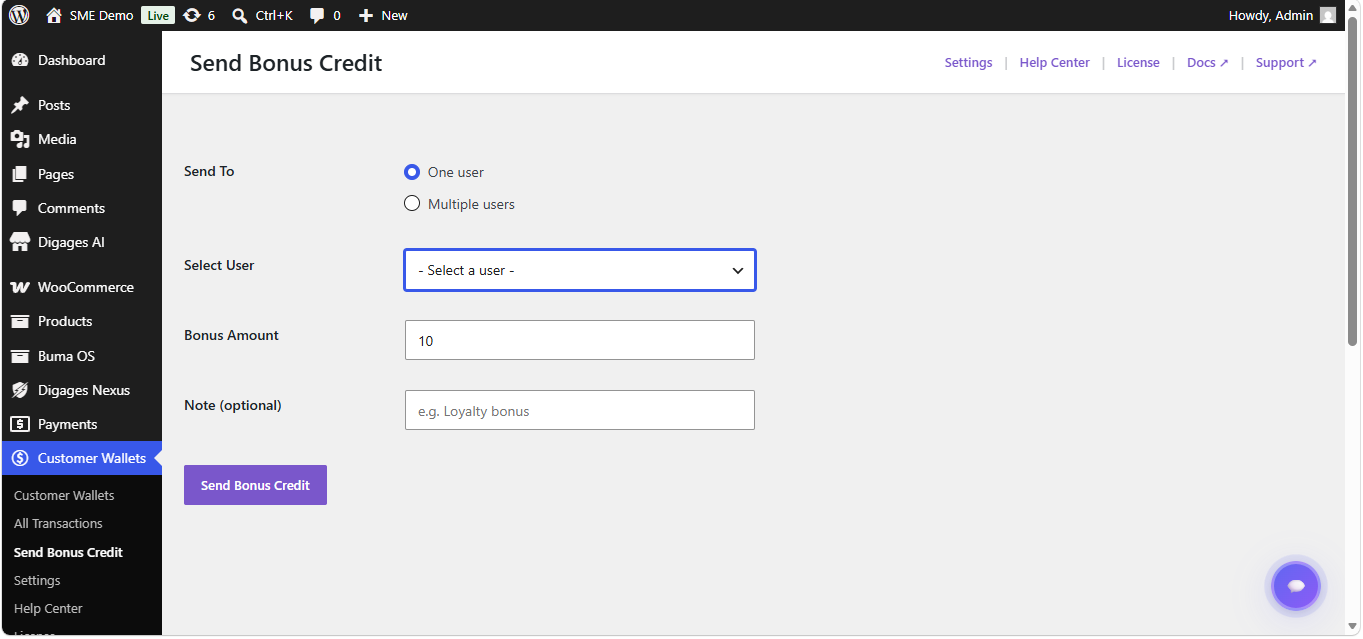
Installation
Using The WordPress Dashboard:- Go to WordPress Admin > Plugins > Add New Plugin.
- Search for Digages Customer Wallet for WooCommerce.
- Click Install Now, then click Activate.
- Make sure WooCommerce is installed and active.
- Go to WordPress Admin > Plugins > Add New Plugin > Upload Plugin.
- Choose the
digages-customer-wallet.zipfile and click Install Now. - Activate the plugin after installation.
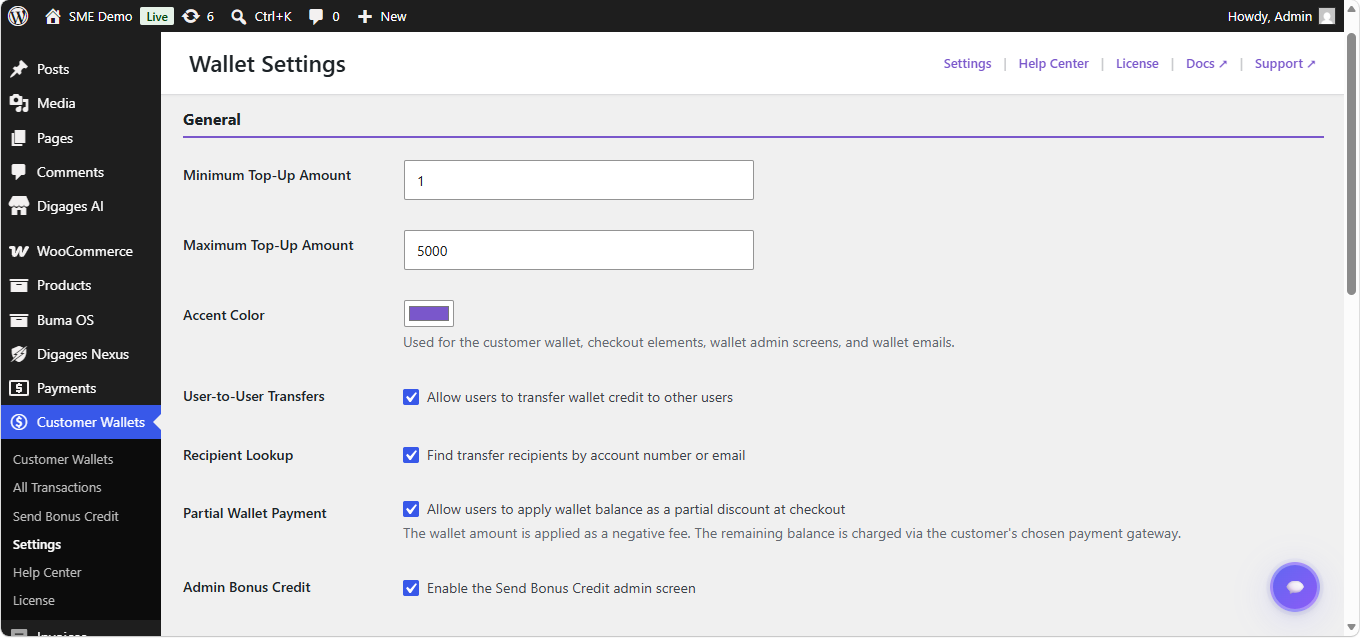
- Go to Customer Wallets > Settings.
- Set the minimum and maximum top-up amounts.
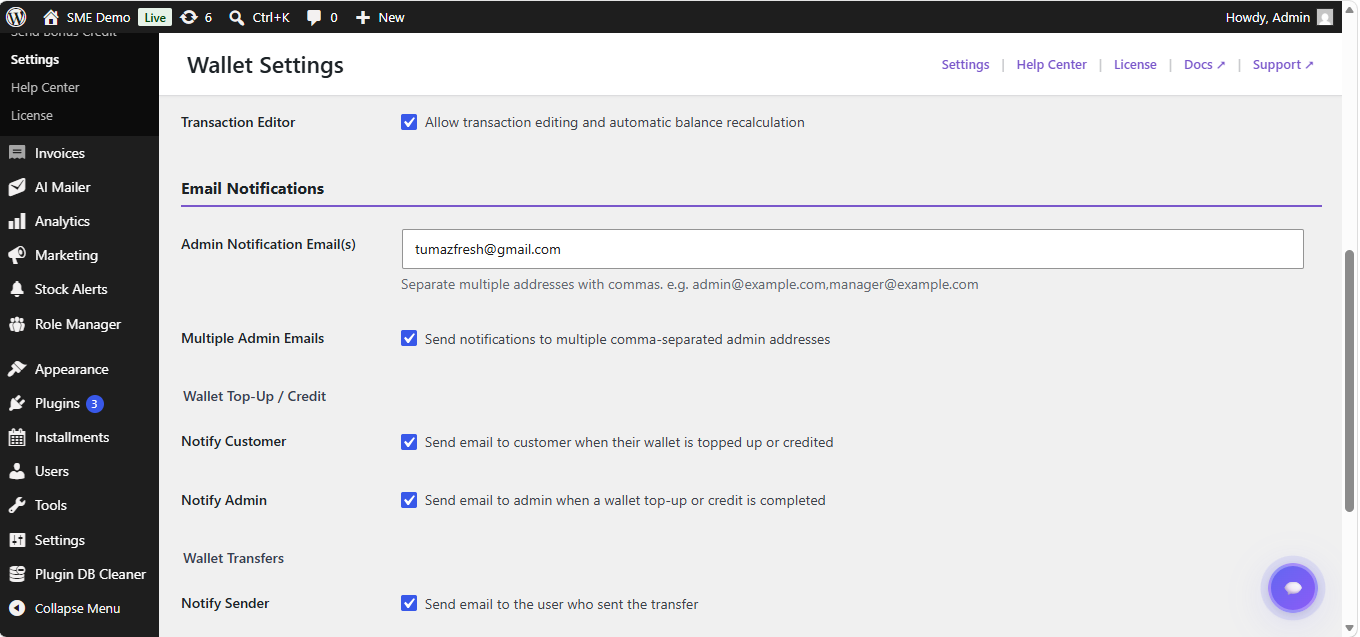
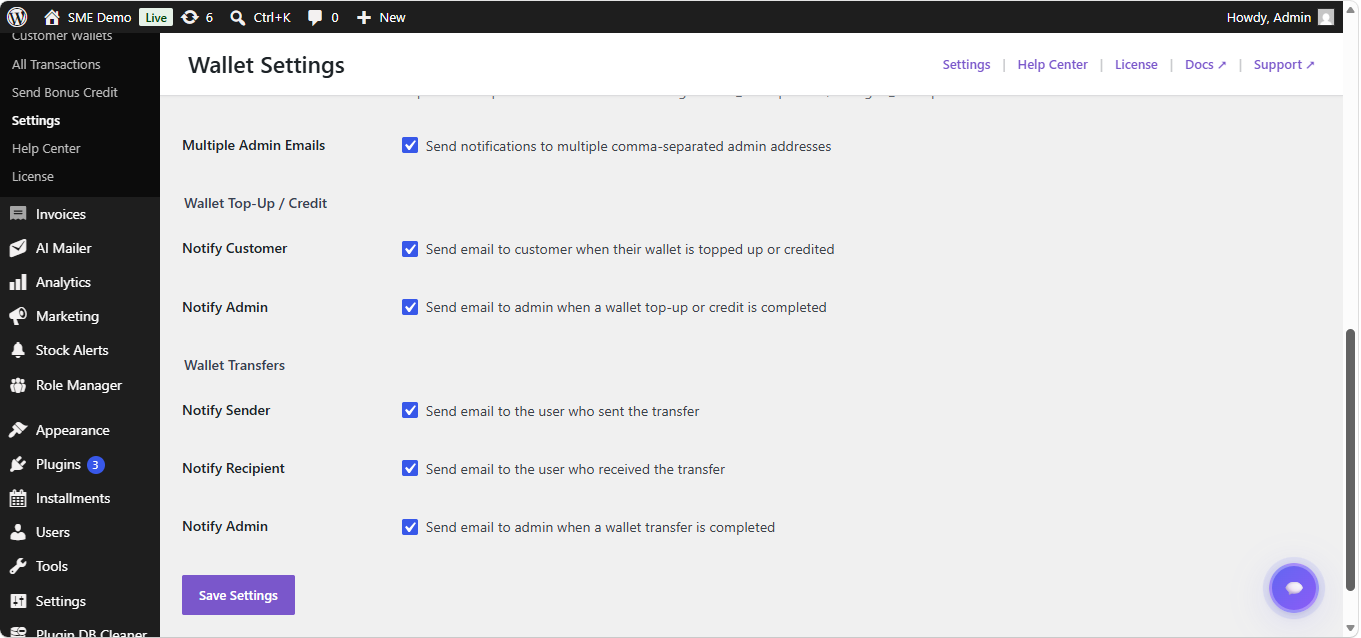
- Configure customer and administrator email notifications.
- Customers can now open My Account > Wallet to view or top up their wallet.
FAQ
-
Does this plugin require WooCommerce?
-
Yes. WooCommerce must be installed and active because top-ups, checkout payments, orders, currencies, and customer account pages use WooCommerce.
-
How do customers add money to their wallet?
-
Customers open My Account > Wallet, enter a top-up amount, and complete payment through the normal WooCommerce checkout. The wallet is credited when the top-up order reaches a supported paid status.
-
Can customers pay for an entire order with wallet funds?
-
Yes. Full wallet payments when the customer’s available balance covers the complete order total.
-
Can customers combine wallet funds with another payment gateway?
-
Yes. Partial wallet payment is available in both Free and Pro. It applies wallet funds to the order and lets the customer pay the remaining amount through another enabled WooCommerce gateway.
-
Are wallet transactions recorded?
-
Yes. Successful wallet credits and debits are stored in the wallet transaction table and displayed to customers and administrators.
-
How can I upgrade to Pro?
-
You can purchase the PRO license from our plugin website and the plugin’s settings page. The PRO Version unlocks all Digages Customer Wallet features.
Reviews
There are no reviews for this plugin.
Contributors & Developers
“Customer Wallet & Loyalty Points for WooCommerce” is open source software. The following people have contributed to this plugin.
Contributors

Translate “Customer Wallet & Loyalty Points for WooCommerce” into your language.
Interested in development?
Browse the code, check out the SVN repository, or subscribe to the development log by RSS.
Changelog
1.0.4
- Changed: Renamed the plugin and the Points admin page, corrected Help Center links, sidebar order, and icon.
- Added: Product eligibility controls for wallet store credit, configurable quick top-up amounts, and storefront message visibility settings.
- Added: Filters to paginated wallet balances and transaction administration screens.
- Fixed: Top-up currency formatting, checkout wallet-and-points wording, frontend point-message backgrounds, and default wallet gateway activation.
1.0.3
- Changed: Merged eligible wallet and points checkout discounts into one balanced checkbox row and moved earning notices to the top-left of cart and checkout.
- Changed: Made the My Account wallet layout full width, added 12-item history pagination, white balance-card text, and copy confirmation feedback.
- Added: Separate Settings, Points, Notification, and Messages tabs.
- Changed: Empty points messages are no longer rendered, and maximum points discount is now a Pro-only control.
1.0.2
- Changed: Redesigned the customer wallet page with a unified wallet and points balance summary, streamlined top-up card, and responsive transaction history.
- Added: All Types, Wallets, and Points history filters with combined chronological pagination.
- Fixed: Checkout Block parity for wallet partial discounts and Points & Rewards redemption, including live Store API total refreshes and safe order-side wallet/points debits.
- Changed: Checkout balance text is combined into one Wallet + Points summary, with the points cash value shown alongside the DP balance.
- Changed: Removed partial points redemption; redemption now uses the maximum eligible points for the order.
- Changed: Admin tables use the available screen width on larger displays, and the Wallet / Points submenu labels are shorter.
- Fixed: Conversion-rate fields now accept normal integer currency values such as 1000 as well as decimal values; points-side conversion units are integer-only and saved values no longer display unnecessary trailing zeroes.
- Fixed: Free-edition partial wallet checkbox now immediately refreshes checkout and applies the selected wallet discount.
- Fixed: Preserved the WordPress plugin-row metadata so the installed plugin version is displayed again.
- Added: Points management with custom styling; point audit entries are included in the unified All Transactions view and points settings are merged into the main Settings page.
- Added: Configurable earning/redemption rates, DP labels, discount limits, tax handling, storefront messages, checkout redemption, and order rewards.
- Added: Pro-only points expiry, product discount caps, signup/review rewards, and safe previous-order backfill controls.
- Safety: Points & Rewards is disabled by default after upgrading an existing store and does not alter wallet data.
1.0.1
- Improved: Minor update
1.0.0
- Added: WooCommerce Checkout Block support for full wallet payments.
- Added: JSON-powered Digages plugin catalogue in the Help Center.
- Added: Built-in Help Center for wallet administration, documentation, feedback, and support shortcuts.
- Initial release of Digages Customer Wallet.